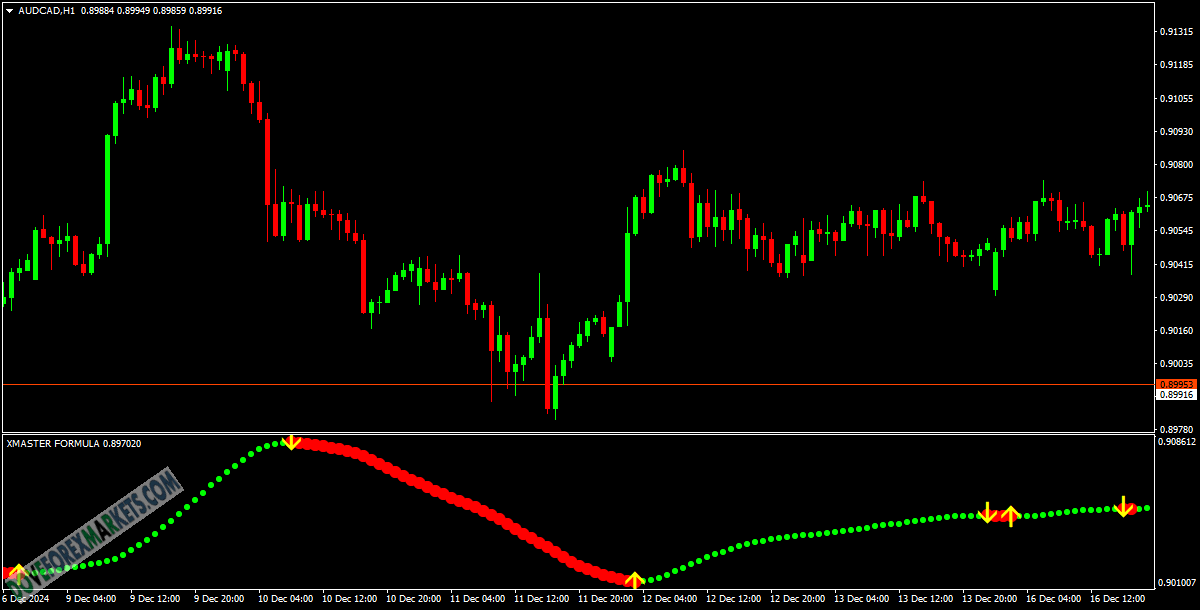
This file is designed for MT4.
📊 What is a Forex Indicator?
A Forex Indicator analyzes market data and displays signals on-chart to assist your trading decisions. Indicators do not place trades; they provide clarity and confirmation for entries and exits.
⚙️ Settings and Parameters for Jack Haris Grid~
⚙️ grid1 -> Sets the numerical value for 'Grid1'.
📈 grid2 -> Sets the numerical value for 'Grid2'.
📉 grid3 -> Sets the numerical value for 'Grid3'.
🎨 colour1 -> Defines the color for the element.
⏰ colour2 -> Defines the color for the element.
🔢 colour3 -> Defines the color for the element.
💽 How to Install the Indicator (MT4)
1) Download the indicator file (.ex4).
2) MetaTrader → File → Open Data Folder.
3) MQL4 → Indicators. Paste the file and restart MT4.
4) In Navigator (Ctrl+N), drag onto a chart and adjust inputs.
✅ Recommended Brokers
- Exness: https://one.exnesstrack.net/a/chmn9zk3nj
- AvaTrade: https://clicks.pipaffiliates.com/c?c=446268&l=en&p=6
- IC Markets: https://icmarkets.com/?camp=55065
- RoboForex: https://my.roboforex.com/en/?a=suxs
- SuperForex: https://superforex.com/?x=TWCS123
- LQDFX: http://t.lqdfx.com/?t=8FC97B&dest=bonus
- Tickmill: https://tickmill.link/4imp5S5
- Pepperstone: https://trk.pepperstonepartners.com/aff_c?offer_id=367&aff_id=32140
- Exclusive Deal: https://affs.click/cFrHo
✅ Recommended VPS
- FXVM: https://fxvm.net/?aff=18727
- Zomro: https://zomro.com/vds?from=399558
📞 Contact & Support
Website: https://doveforexmarkets.com
Telegram: https://t.me/dovetradingschool
Email: info@doveforexmarkets.com
⚠️ Note: Indicators are tools and do not guarantee profits. Combine with risk management.
The author mbumwayi has offered the item for free, you can now download it.
Published:
16 Oct, 2025 11:50 AM
Version:
v2.1
Category:
Instructions Included:
YesSource Code Included:
YesFiles Included:
YesTags: